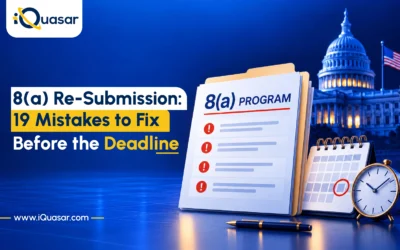
A returned 8(a) application is not a denial. It is a second chance to fix your eligibility record, and most applicants lose that chance through avoidable mistakes rather than weak businesses.
When SBA returns your application through the Return to Business (RTB) process, it reopens it as a draft. You can update information, submit evidence under the revised rules, and resubmit. If you finish on time, SBA continues processing your existing application, and your original submission date generally stays attached for processing-order purposes.
The trap is thinking RTB is only about rewriting a social-disadvantage statement. It is a full review of financials, business information, questionnaire responses, contributor submissions, social-disadvantage evidence, and potential for success. Every section must be accurate as of your eligibility determination date.
Below are 19 mistakes grouped by where they happen, each with a concrete fix. A checklist and suggested timeline appear at the end.
Part 1: Deadline and Process Mistakes
The costliest errors are procedural and the easiest to prevent.
Mistake 1: Treating the RTB Notice as a Denial
Your application is in open-draft status. SBA did not deny you. If you resubmit on time with the required updates, processing continues from where it left off.
The fix: Treat the RTB notice as an update window, not a rejection letter. Start working the day it arrives.
Mistake 2: Missing the 45-Calendar-Day Deadline
Weekends and federal holidays count toward your 45 days. If you miss the deadline, the system closes your application automatically and you must start a new one from scratch. Per the SBA 8(a) Social Disadvantage Regulation FAQ, the 45-day window is strictly enforced with no extensions.
For example: a notice dated October 19, 2026 gives you a deadline of December 3, 2026, with Thanksgiving falling inside that window. Confirm the exact deadline against your own RTB notice.
The fix: Build a deadline sheet the day you receive the notice. It should list:
- RTB notification date
- 45-calendar-day deadline
- Internal document deadlines
- Contributor completion dates
- Planned submission date, several days before the deadline
Mistake 3: Uploading Documents Without Formally Resubmitting
Saving your application or uploading files is not enough. You must navigate to the final page and formally resubmit. SBA does not resume processing until that step is complete.
The fix: After formal resubmission, save all of the following:
- Portal confirmation message
- Screenshot of the confirmation screen
- Date and time of resubmission
- Copy of the final submitted application
- Copy of every uploaded document
Mistake 4: Updating Only the Social-Disadvantage Section
The revised social-disadvantage requirement may be why your application was returned. However, every section must be accurate as of your eligibility determination date. The SBA 8(a) Social Disadvantage Regulation FAQ confirms that the full application not just the social-disadvantage section — is subject to review.
Items that may need updating include:
- Social-disadvantage evidence and questionnaire responses
- Business and personal tax returns
- Financial statements
- Organizational documents
- Contributor information
- Information tied to other SBA certifications
Strong social-disadvantage evidence will not protect outdated or inconsistent ownership, financial, control, or potential-for-success information.
The fix: Review every section of the application before resubmitting, not just the social-disadvantage portion.
Part 2: Social-Disadvantage Evidence Mistakes
Evidence and structure matter more than storytelling.
Mistake 5: Reusing the Previous Personal Narrative
The former narrative approach does not satisfy the current requirement on its own. Per the SBA 8(a) Social Disadvantage Regulation FAQ, your resubmission must do three things:
- Demonstrate that an identifiable group experienced discrimination or bias
- Attest to your membership in that group during the relevant action or period
- Attest that the action or practice caused material harm related to your economic advancement
Your old narrative may contain useful raw material for incidents, dates, entities, witnesses, and consequences. It is not a resubmission on its own.
The fix: Build your submission around a traceable chain:
Identifiable group → entity action or practice → objective evidence → applicant’s membership → material harm
Mistake 6: Submitting a Lengthy Narrative Instead of a Focused Evidence Package
SBA has stated in its Social Disadvantage Regulation FAQ, Volume II that a lengthy narrative is neither necessary nor desired. A focused package is easier to verify and less likely to generate a Request for Further Information.
A strong submission includes:
- Concise supporting statement and your signed certification
- Exhibit index
- Objective group-level evidence
- Applicant-specific records
- Clear material-harm explanation
- Portal responses consistent with your uploaded documents
The goal is not the longest story. It is the easiest one to verify.
The fix: Organize your package around the exhibit index. Every exhibit should have a clear purpose and trace directly to an eligibility element.
Mistake 7: Relying on Public Evidence Without Connecting It to You
Government reports, court decisions, official findings, enforcement actions, and institutional policies can support a group-level showing. They do not establish your personal eligibility on their own. The SBA 8(a) Social Disadvantage Regulation FAQ is explicit that public evidence must be connected to the applicant’s specific experience.
For each piece of public evidence, you must explain:
- How it relates to the relevant entity or practice
- Why you belonged to the affected group at the time of the action
- How the action or practice reached you specifically
- What opportunity you lost as a result
The report supports the group-level showing. Your attestation and personal records supply the connection and the harm.
The fix: Pair every piece of public evidence with a corresponding personal record or attestation that closes the gap between the group experience and your own.
Mistake 8: Describing Harm Without Tying It to Economic Advancement
Material harm means a specific loss of access to, or diminished opportunity in, areas related to economic advancement. Per the SBA 8(a) Social Disadvantage Regulation FAQ, these areas include employment, promotion, education, scholarships, business financing, business ownership, contracting opportunities, federal programs, and professional advancement.
A financing denial is not material harm on its own. It becomes material harm when you can show how it blocked a documented purchase, business expansion, equipment acquisition, or hiring decision.
Do not claim an uncertain outcome was guaranteed. Losing the chance to compete for a scholarship can be material harm. Losing a guaranteed scholarship requires a different level of evidence.
The fix: For each incident, name the direct opportunity that was lost or blocked. Be specific about what you could not do as a result, not just how the treatment felt.
Part 3: Financial Records
Mistake 9: Outdated or Mismatched Tax and Financial Records
SBA requires specific financial records for every 8(a) application. Confirm you have submitted:
- Two most recent federal business tax returns
- Three most recent federal personal tax returns
- Current balance sheet
- Current profit-and-loss statement
Before uploading, verify:
- All schedules and any amended returns are included
- The balance sheet balances
- The P&L states its reporting period
- Financial statements reconcile with tax returns
- Revenue figures are consistent throughout the application
- Any material changes are explained
Note: a personal Schedule C for an older business activity is not the same as your company’s current business tax return.
The fix: Prepare a one-page revenue reconciliation that traces revenue from tax returns through financial statements and into the application’s contract and revenue fields.
Part 4: Potential-for-Success Mistakes
Potential for success is a separate eligibility requirement governed by 13 CFR § 124.107. It is its own workstream, not a byproduct of a strong social-disadvantage submission.
Mistake 10: Ignoring Potential for Success
Under the standard route, 13 CFR § 124.107 requires two prior years of business tax returns showing operating revenue and proof of contract performance in your primary NAICS code for the two full preceding years, without gaps.
A firm formed more than two years ago can still fall short if:
- One year shows no operating revenue
- Contract performance coverage has gaps
- The work documented does not match the primary NAICS code
- Records show a contract award but not actual performance
The fix: Audit your two-year record against these specific conditions before resubmitting. Identify any gap and address it directly in your application.
Mistake 11: Contracts Not Aligned With the Primary NAICS Code
Your primary NAICS code must reflect your principal revenue-generating activity. It is not the industry you hope to enter after certification. Per the 8(a) Potential for Success Requirement FAQ, SBA evaluates whether actual revenue and performance match the claimed primary code.
For example: claiming software development as your primary NAICS code while your actual revenue comes from unrelated services will raise questions about your operating history and readiness.
Check alignment across:
- Contract scopes, statements of work, invoices, and deliverables
- Business and personal tax returns
- Business plan
- Website and SAM.gov registration
- Actual revenue sources
The fix: Confirm that every source of evidence in your application points to the same principal business activity.
Mistake 12: Failing to Document Continuous Performance
Multiple contracts can cover the two-year period if their performance periods are successive or overlapping. However, per 13 CFR § 124.107, contract value does not make up for a gap in coverage.
The fix: Build a month-by-month performance matrix that documents, for each contract:
- Customer name
- Contract or purchase-order number
- Scope and NAICS code alignment
- Start and end dates, including any modifications
- Invoice and payment dates
- Evidence of actual performance
Disclose any months not covered by a contract and explain how you addressed the gap.
Mistake 13: Requesting a Two-Year Waiver Without Addressing All Five Conditions
SBA may grant a waiver of the two-year operating history requirement under 13 CFR § 124.107, but only if you satisfy all five of the following conditions:
- Substantial management experience
- Technical experience sufficient to execute the business plan
- Adequate capital
- Successful company-level contract performance in the primary industry
- Access to, or the ability to timely obtain, personnel, facilities, equipment, and resources needed to perform
A strong owner résumé alone is not enough. Each condition requires company-level evidence, not personal qualifications. Per the 8(a) Potential for Success Requirement FAQ, if SBA declines the waiver, your firm cannot reapply for 90 days.
The fix: Address each condition separately with dedicated company-level documentation. Do not assume that strength in one condition offsets weakness in another.
Part 5: Organizational Records, Contributors, and Consistency
Mistake 14: Overlooking Updated Organizational Documents
Changes to your business structure since your original submission may need to be reflected and explained. Review and update as needed:
- Articles of organization, operating agreement or bylaws, and any amendments
- Minutes, resolutions, and ownership records
- Management authority and signature authority
- Business address, state registration, licenses, and leases
- Loan agreements, affiliates, and any agreements affecting ownership or control
Check for mismatches between your SBA application and your SAM.gov registration or state business records.
The fix: Pull your current state registration and SAM.gov record alongside your application and compare them line by line.
Mistake 15: Forgetting Contributor Updates
Contributors include co-owners, officers, directors, managers, spouses, household contributors, and anyone else invited to complete a contributor section. Each may need to update and formally resubmit their own portion. Your main application can remain blocked until all contributors finish.
The fix: Identify every contributor on the day you receive the RTB notice. Send update requests immediately and track completion dates on your deadline sheet.
Mistake 16: Letting Records Tell Different Stories
Inconsistent information across documents is one of the most common triggers for a Request for Further Information. Review consistency across:
- Tax returns and financial statements
- Ownership documents and contributor responses
- Contract records and SAM.gov
- State records and licenses
- Other SBA certifications
- The SBA questionnaire
Eight common inconsistencies to check:
- Different ownership percentages across documents
- Different addresses on file
- Different primary NAICS codes in different places
- Revenue totals that do not match
- Undisclosed outside employment
- Unreported affiliates
- Contracts missing from required sections
- Management titles that conflict with organizational documents
Any of these can trigger an RFI and delay processing.
The fix: Create one master fact sheet listing your correct name, address, ownership percentages, primary NAICS code, revenue totals, and management titles. Use it to check every document before uploading.
Part 6: Package Presentation and Submission Timing
A reviewer who can verify your information quickly has fewer reasons to issue an RFI.
Mistake 17: Weak File Names
Vague or duplicate file names slow review and create confusion. Avoid names like:
Document 1.pdf Evidence.pdf Tax Return New.pdf Contract Final Final.pdf
Use descriptive, numbered names instead:
01_RTB_Notice_and_Deadline.pdf 02_Social_Disadvantage_Supporting_Statement_Signed.pdf 03_Social_Disadvantage_Exhibit_Index.pdf 04_2025_CompanyName_Federal_Business_Tax_Return.pdf 05_2024_CompanyName_Federal_Business_Tax_Return.pdf 06_Current_Balance_Sheet_2026-09-30.pdf 07_YTD_Profit_and_Loss_2026-01-01_to_2026-09-30.pdf 08_Contract_Performance_Matrix.pdf
The fix: Give each exhibit a descriptive file name, a clear purpose, a traceable source, and a one-line note on the eligibility element it supports.
Mistake 18: Broken Links or Unredacted Records
Online evidence should be saved as a PDF or screenshot rather than submitted as a live link. Include the URL as a reference within the document. Links can break and pages can change after submission.
Before uploading any document, scan for:
- Social Security numbers
- Bank account and routing numbers
- Sensitive dependent information
- Unnecessary medical information
- Other personal identifiers
The fix: Redact sensitive data without removing information SBA needs to verify your eligibility. Review each document page by page before uploading.
Mistake 19: Waiting Until the Final Day
Submitting on Day 44 or 45 leaves no time to recover from common problems, including:
- Portal validation errors
- File-size limits
- Incorrect upload categories
- Contributor delays
- Missing signatures
- Inconsistent dates discovered at the last step
- Corrupted files
- Last-minute questions with no time to resolve them
The fix: Follow a buffered schedule and treat Day 44 and Day 45 as emergency reserves only.
A Suggested 45-Day Timeline
|
Days |
Focus |
|---|---|
|
1-3 |
Calculate your deadline. List all contributors. Send contributor update requests immediately. |
|
4-20 |
Collect business and personal tax returns, financial statements, and organizational records. Build the contract performance matrix. |
|
14-30 |
Assemble social-disadvantage evidence and exhibit index. Draft supporting statement. |
|
By Day 35 |
Finish all substantive updates across every section of the application. |
|
36-39 |
Complete the consistency review. Redact sensitive data. Rename and number all files. |
|
40-43 |
Formally resubmit through the portal. Save all proof of resubmission. |
| 44-45 |
Reserve for emergencies only. Do not plan to use these days. |
Pre-Submission Checklist
Before you click submit, confirm that:
- Deadline calculated from the RTB notification date and tracked on a deadline sheet
- New social-disadvantage questions answered completely in the portal
- Objective group-level evidence uploaded and indexed
- Group membership and material harm attested with supporting records
- Current business and personal tax returns and financial statements included
- Organizational changes disclosed and documents updated
- Contract performance aligns with the primary NAICS code across all records
- Potential-for-success pathway documented under the standard route or waiver per 13 CFR § 124.107
- All contributors have updated and formally resubmitted their sections
- Information is consistent across all documents, SAM.gov, state records, and the questionnaire
- Files are descriptively named, numbered, and redacted
- You have navigated to the final page and formally resubmitted
- Proof of resubmission saved, including confirmation, screenshot, date, and time
Also Read: SBA 8(a) Certification Just Changed: What the New Rules Mean for Applicants
Final Thoughts
Treat your re-submission as a complete eligibility update, not a one-section fix. SBA is reviewing the full picture of your business, ownership, financial health, and operating history as of your eligibility determination date.
A strong re-submission is timely, evidence-based, internally consistent, aligned with your actual business activity, easy to navigate, and formally resubmitted before the deadline. Each of those qualities is within your control.
The returned application is another chance. How carefully you use it determines whether it becomes your certification.
For small businesses navigating the 8(a) re-submission process, including social-disadvantage evidence preparation, financial record reconciliation, and full application review, iQuasar’s certifications team provides hands-on support through every stage of the SBA review cycle. Contact us today to make the most of your 45-day window.